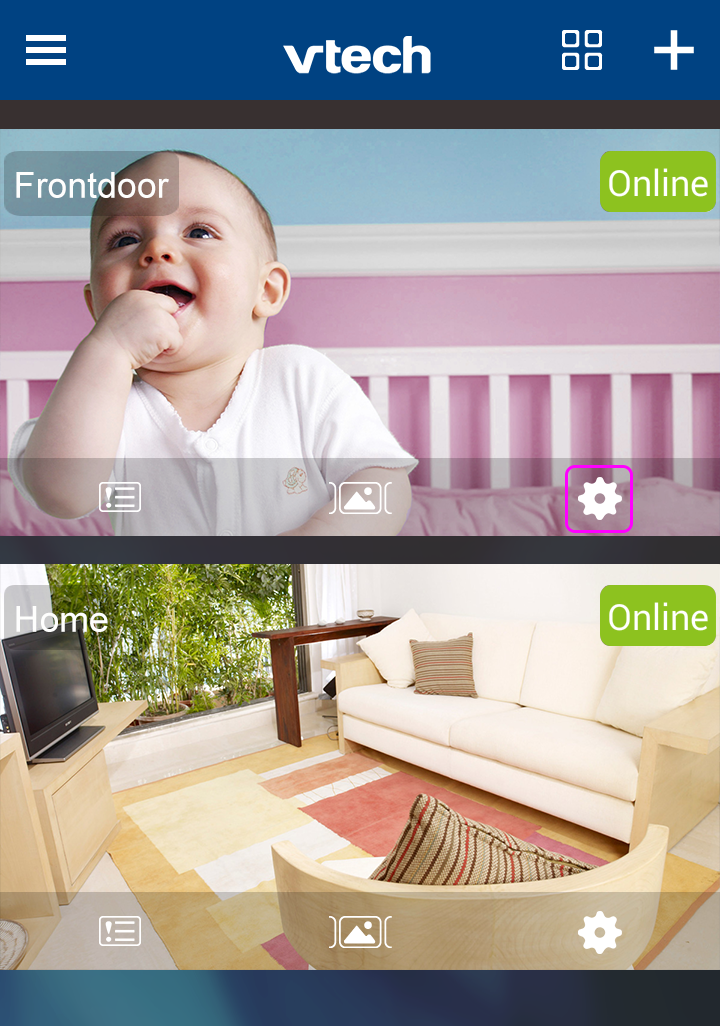
1. In the Camera List, tap the  icon of a paired camera to enter its Camera Settings menu.
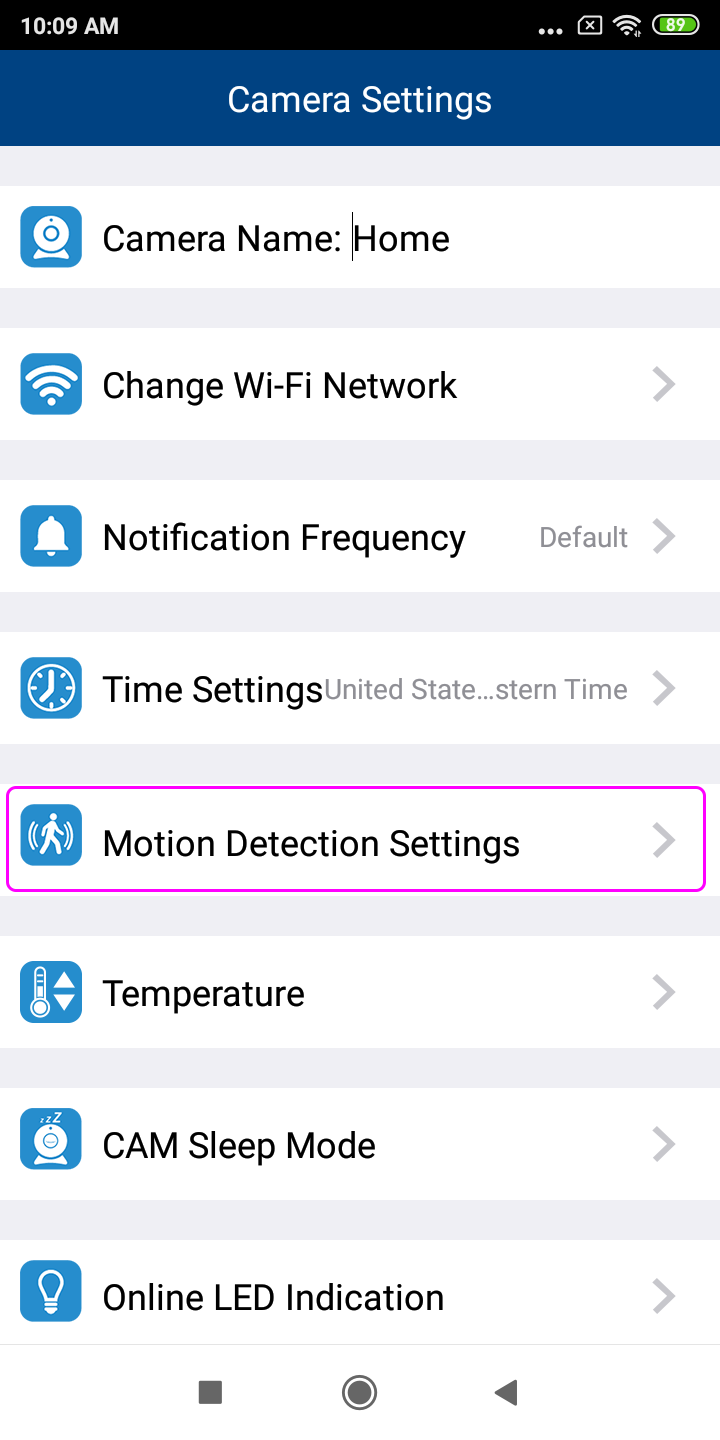
2. In Camera Settings, tap Motion Detection Settings.
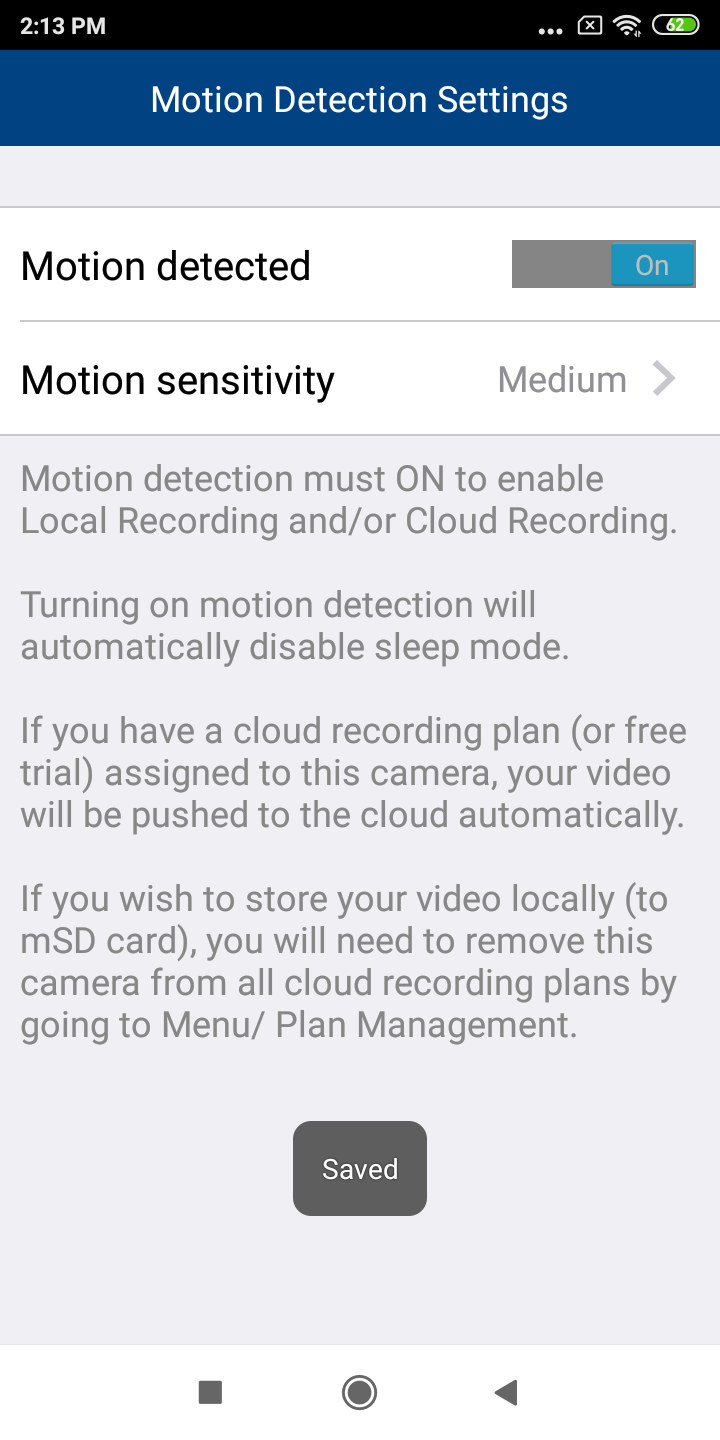
3. Switch Motion detected to ON.
Tap Motion sensitivity, and then tap to select and set the motion sensitivity level -i.e. Low, Medium or High.
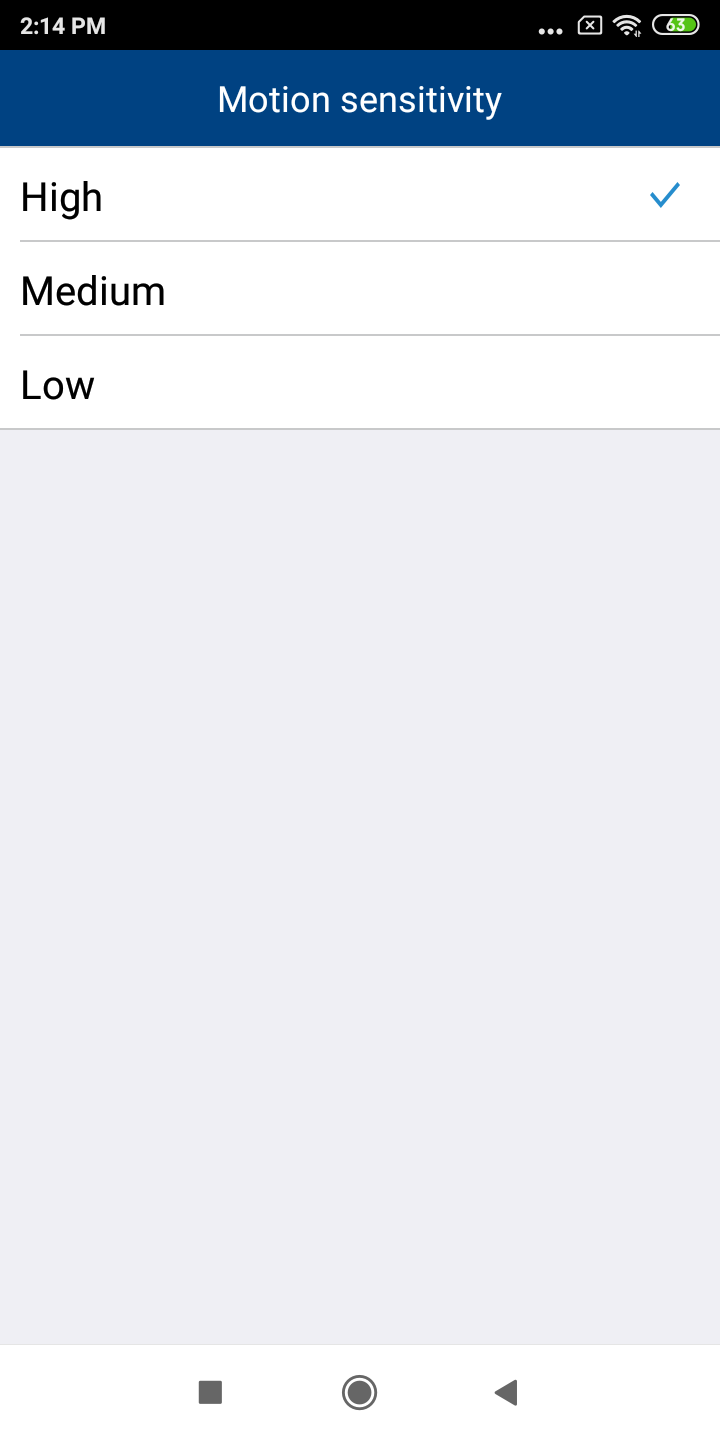
Sensitivity levels of Motion Detection