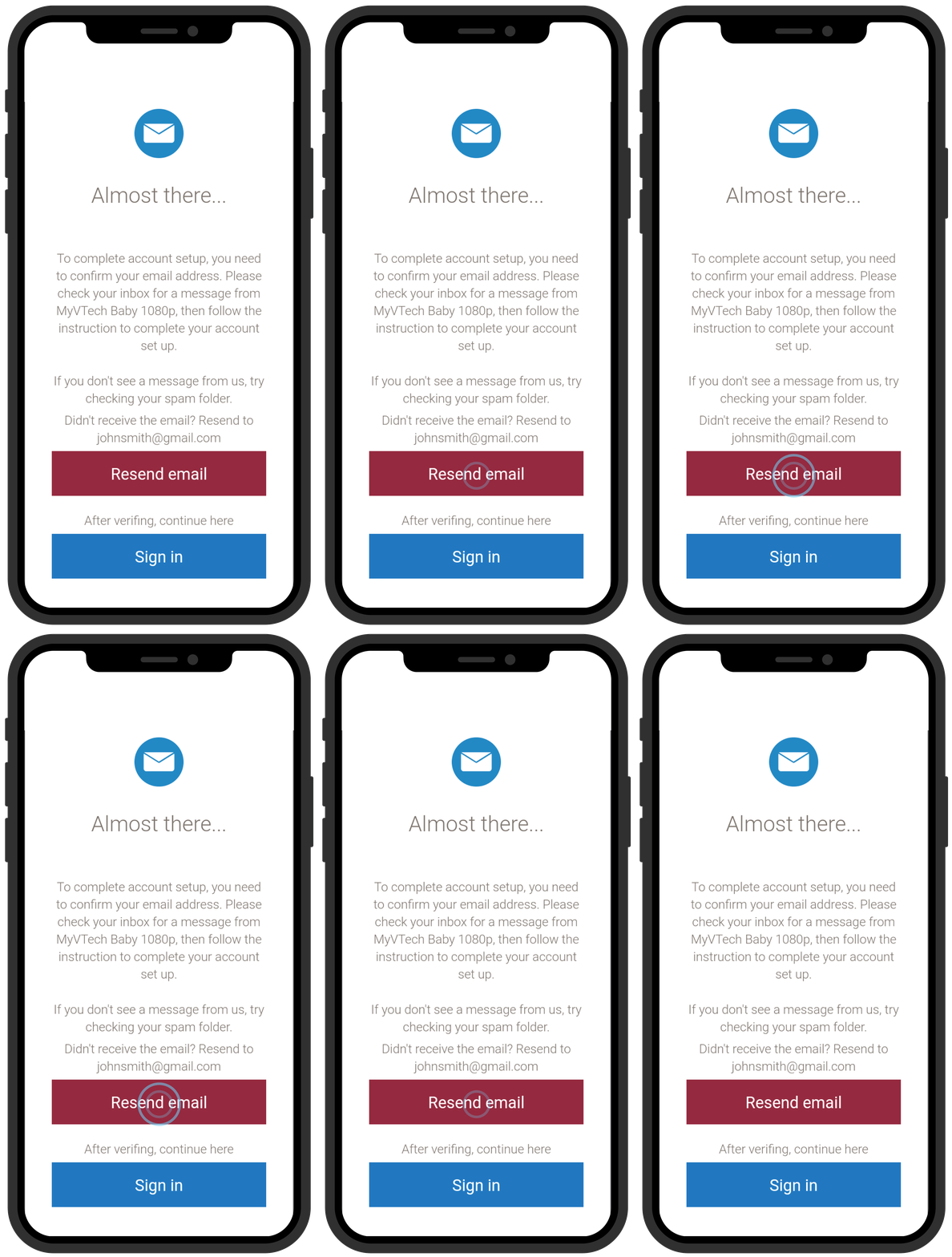
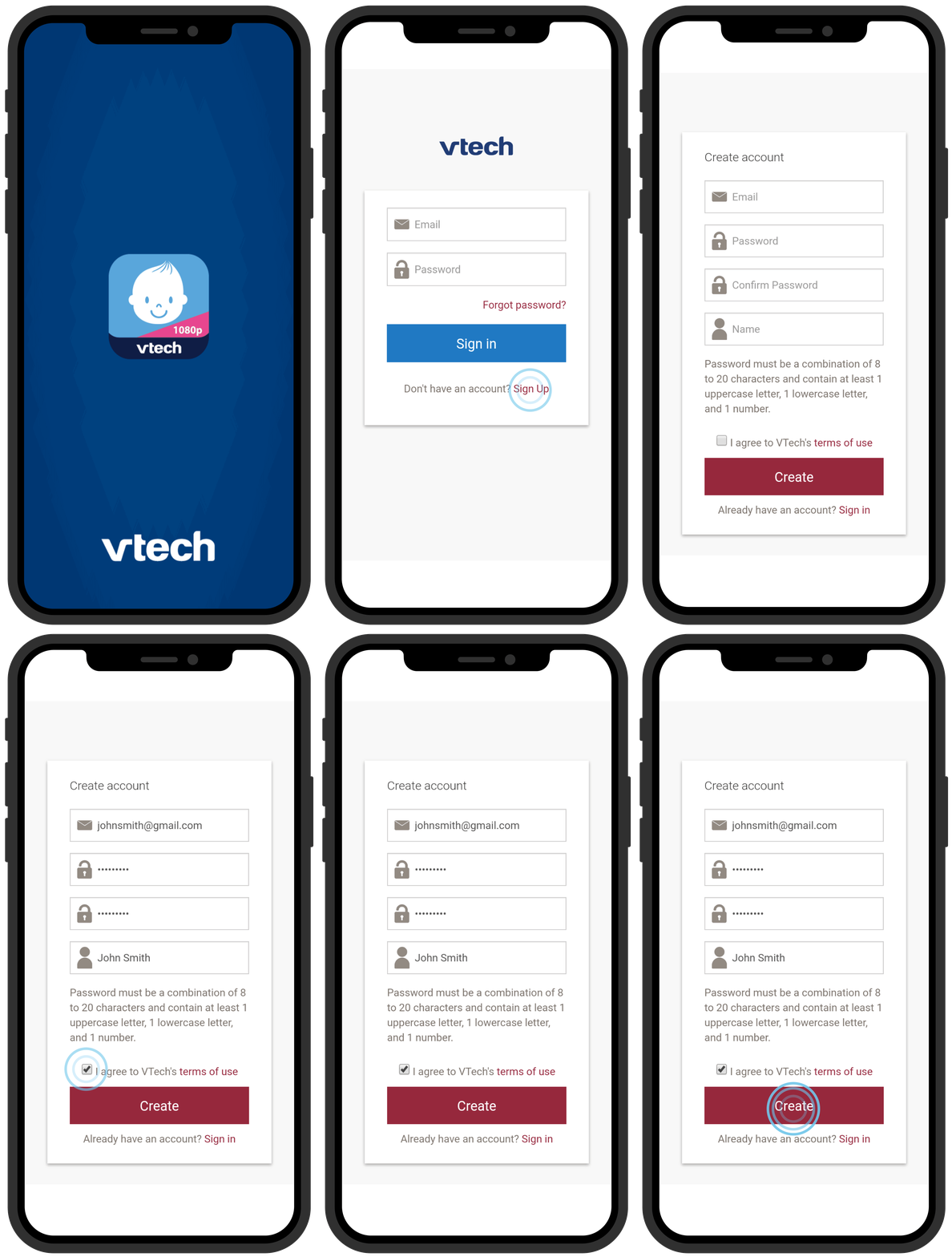
To start using MyVTech Baby 1080p app, you need to create an account first.
1. Launch the app and tap Sign Up.
2. Enter your name, email address for registration, and create a password for your account.
- We recommend that you use common webmail services, such as Google Gmail™ for registration.
3. Tap Terms of Use to read the terms of service of using MyVTech Baby 1080p mobile app. Tap the check box to acknowledge you have read and agree to the terms. Then, tap Create.
- A verification email will be sent to your email address.
4. Check your email and activate your account via the link in the email.
 TIP
TIP
If you do not find the verification email in your inbox folder, then check your Spam folder. Click Resend email if necessary.