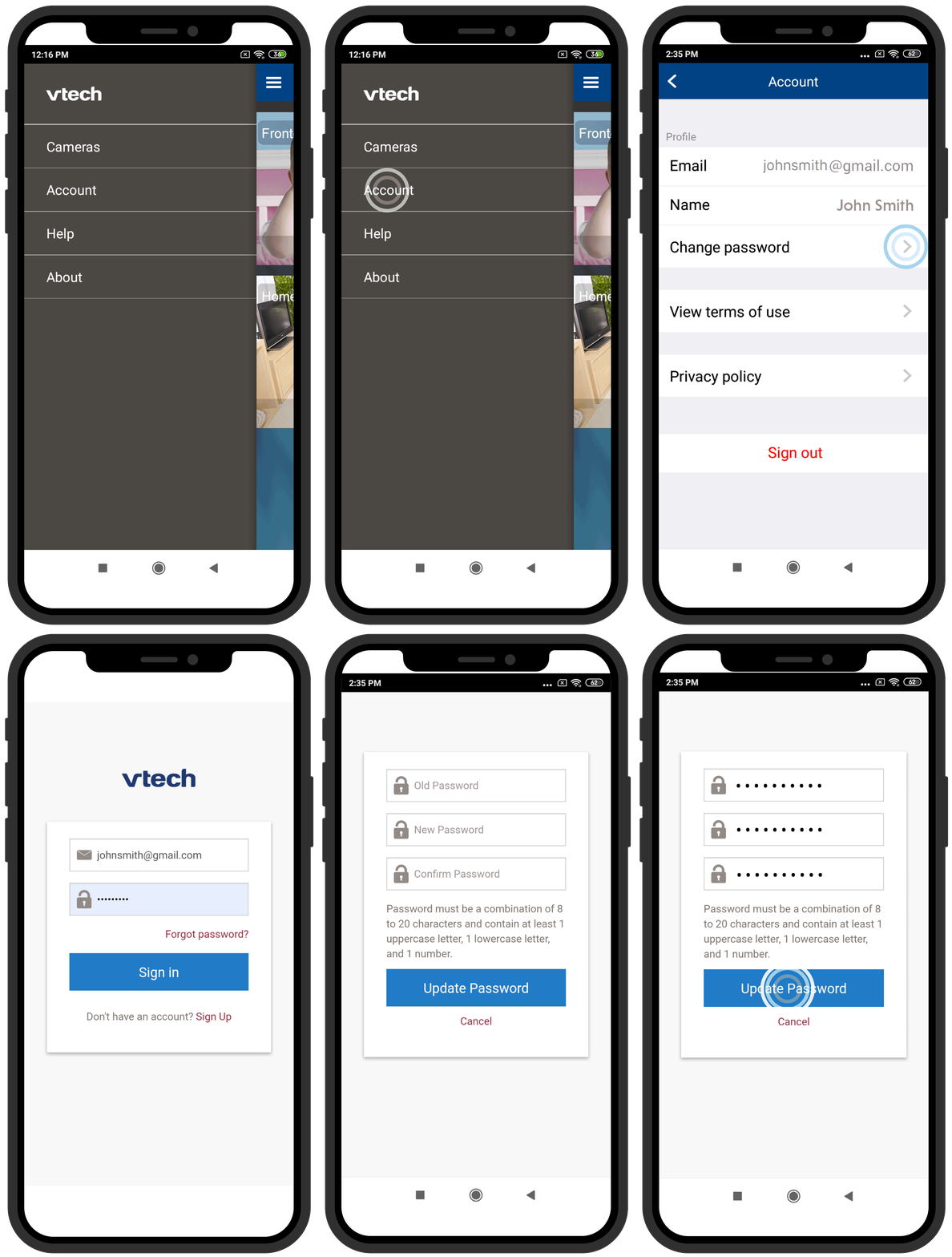
1. Tap  to display the side menu, and then tap Account.
2. Tap Change password.
3. You are required to sign in again before changing password. Type in your Email and Password, and then tap Sign in.
4. Type in your current password, and then type in your new password. Repeat entering the new password to confirm.
5. Tap Update Password.