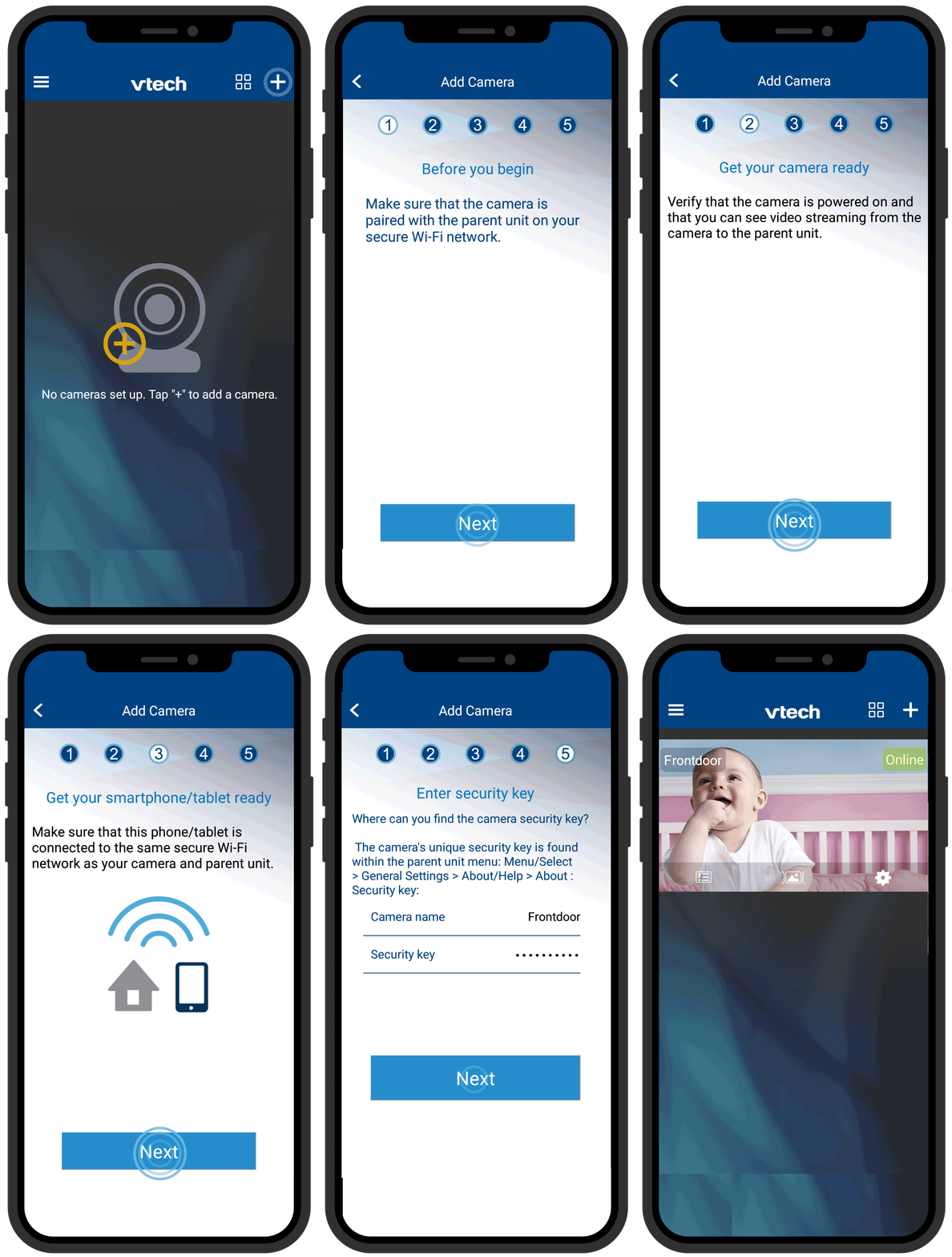
1. Tap  on the top right corner of the camera list.
2. Follow the instructions on screen, then tap Next.
3. Enter the security key for your camera, then tap Next. You can check the security key in your parent unit's menu: General Settings > About/Help > About.
4. Wait for the system to add the camera automatically.
- When the adding process completes, the screen displays the new camera in the camera list.