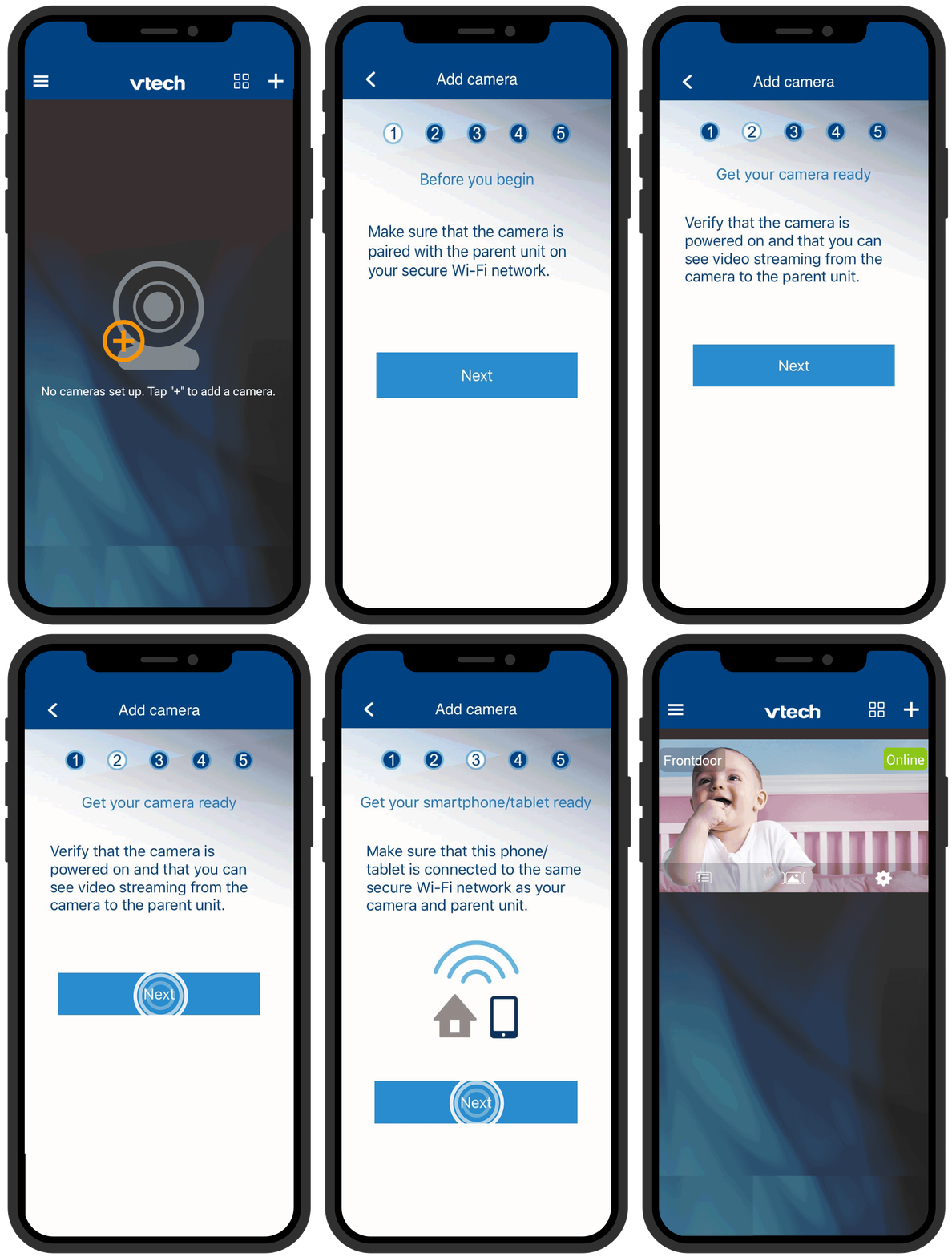
1. Tap  on the top right corner of the camera list.
2. Follow the instructions on screen, then tap Next.
3. Enter the security key for your camera, then tap  . You can check the security key in your parent unit's menu: General Settings > About/Help > About.
4. Wait for the system to add the camera automatically.
- When the adding process completes, the screen displays the new camera in the camera list.