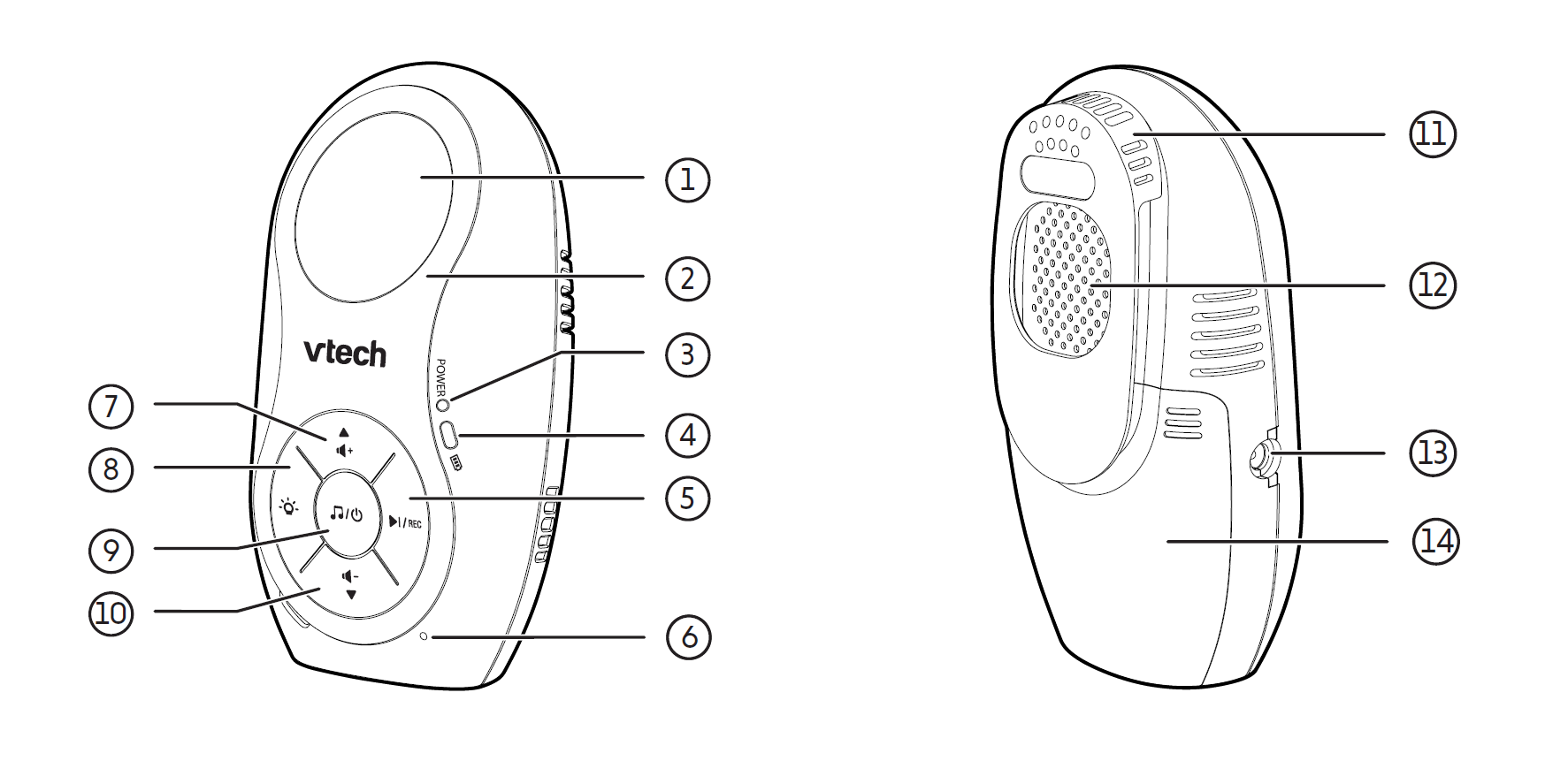
| 1 | Night light • On when night light is turned on manually. • Off when night light is turned off manually. |
| 2 | Changeable face plate |
| 3 |
POWER light • On when the baby unit is powered on. |
| 4 |
• On when the baby unit’s batteries are charging. |
| 5 |
• Press to play the next lullaby. |
| 6 |
Microphone |
| 7 |
• Press to increase the speaker volume (Level 1 to Level 5). |
| 8 |
• Press to turn the night light on or off. |
| 9 |
• Press and hold to power on, and the power light turns on. |
| 10 |
• Press to decrease the speaker volume (Level 1 to Level 5). |
| 11 |
Belt clip with temperature sensor |
| 12 |
Speaker |
| 13 |
Power jack |
| 14 |
Battery compartment cover |
 Battery indication light