NOTE
- This baby monitor is intended as an aid. It is not a substitute for proper adult supervision, and should not be used as such.
Before positioning and using your baby monitor, you can test your baby monitor by checking the following:
- Your baby unit(s) and parent unit are connected to a power source and turned on.
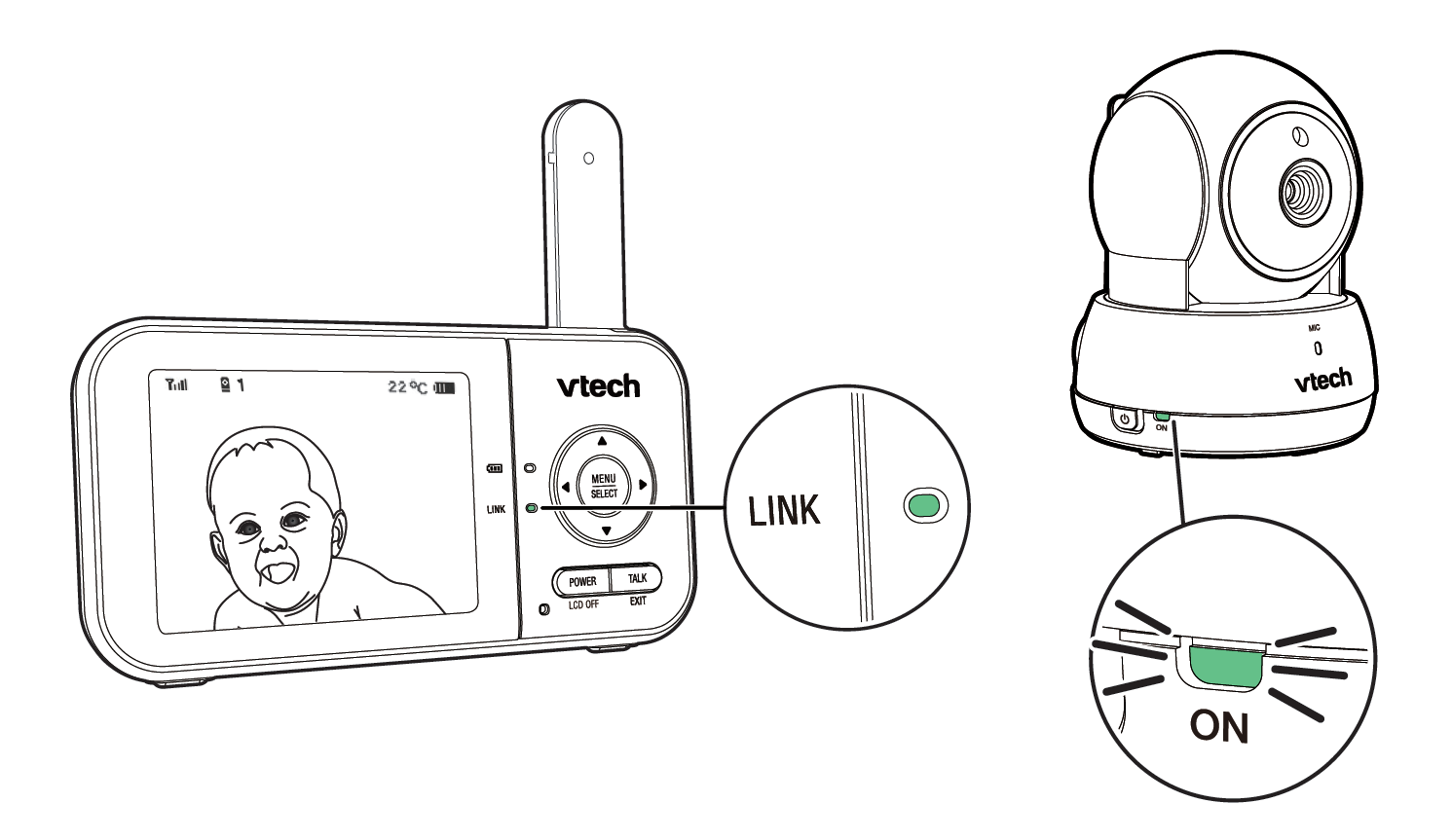
- The parent unit is properly paired with the baby unit(s):
- The parent unit displays images from the baby unit(s)*
- When you speak towards the microphone of the baby unit(s), you hear your voice projecting from the parent unit
* If you have two baby units, see Change different views - Single-cam to switch between cameras to ensure images are displayed for both.
CAUTION
- For hearing protection, make sure the parent unit is more than 3 feet (1 meter) away from both baby units. If you hear any high-pitched noises, move the parent unit further until the noise stops. You can also press
 to lower or reduce the noise.
NOTE
- When the parent unit displays
 , and the LINK LED light flashes, move the parent unit closer to the baby unit(s) (observe the minimum distance of 3 feet / 1 meter). You can also check if the baby unit is connected to a live power socket and is switched on.
TIP
- Increase the speaker volume of the parent unit if you cannot hear the sounds transmitted from the baby unit(s).