Your baby unit monitors the temperature of your baby’s room with its built-in temperature sensor. If the detected temperature is out of the preset temperature range, the parent unit will display an alert message.
Set temperature range
You can set the desired room temperature alert range. The minimum temperature can be set between 50 oF (10 oC) and 76 oF (24oC). The maximum temperature can be set between 77 oF (25 oC) and 102 oF (39 oC).
1. Press MENU when the parent unit is idle.
2. Press ◄ or ► to choose  , then press SELECT or ▲ .
3. Press ▼ or ▲ to choose  , then press ◄ .
4. Press ▼ or ▲ to choose  or
or  , then press SELECT.
5. Press ▼ or ▲ to choose the desired minimum or maximum temperature, then press SELECT to confirm your selection.
Temperature alert tone
You can turn on the temperature alert tone so that the parent unit will emit an alert tone if the detected temperature is out of range.
1. Press MENU when the parent unit is idle.
2. Press ◄ or ► to choose , then press SELECT or ▲ .
3. Press ▼ or ▲ to choose  , then press SELECT.
4. Press ▼ or ▲ to choose  or
or  , then press SELECT to confirm your selection.
Temperature format
You can choose to display the temperature in Fahrenheit (oF) or Celsius (oC).
1. Press MENU when the parent unit is idle.
2. Press ◄ or ► to choose , then press SELECT or ▲ .
3. Press ▼ or ▲ to choose 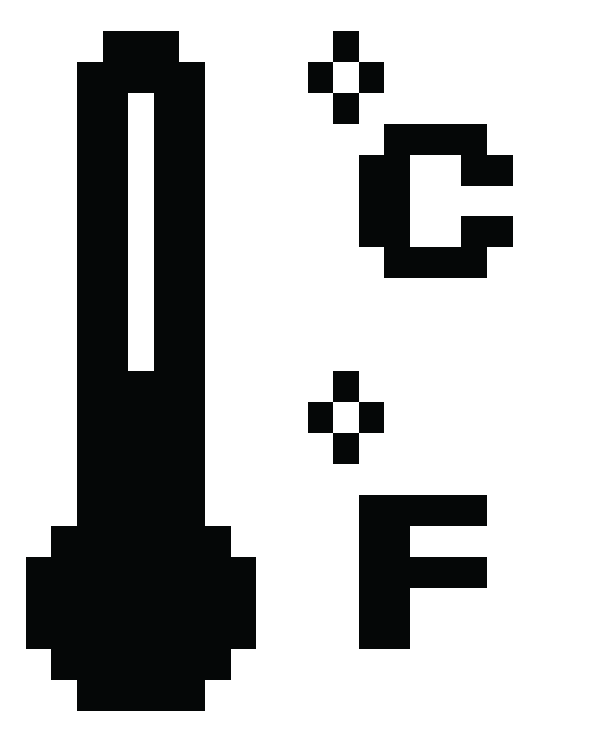 , then press SELECT.
4. Press ▼ or ▲ to choose  or
or  , then press SELECT to confirm your selection.