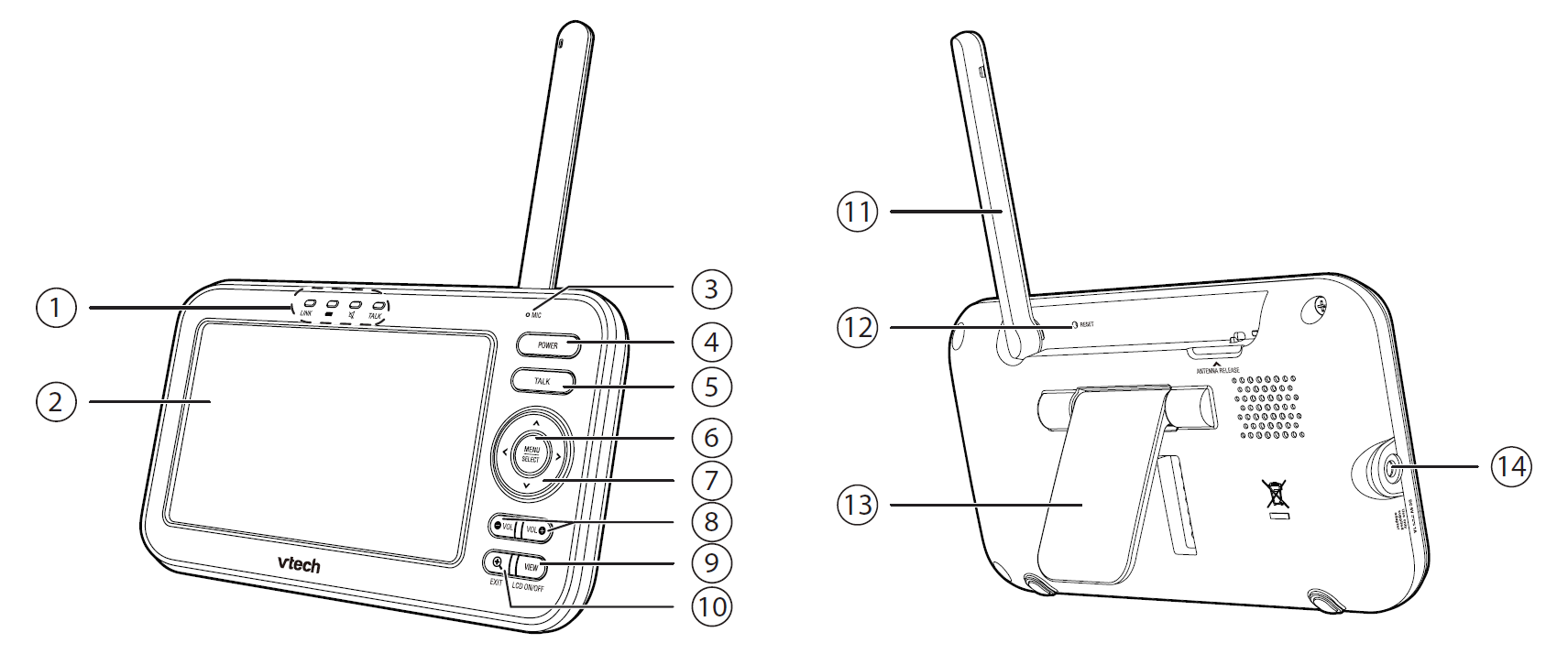
| 1 | LED lights |
| 2 | LCD display |
| 3 | Microphone |
| 4 | POWER |
| 5 | TALK |
| 6 | MENU/SELECT |
| 7 | Arrow keys     • While viewing image from the camera unit, press and hold to pan the camera unit leftward or rightward. |
| 8 |  (Volume) (Volume) |
| 9 | VIEW / LCD ON/OFF |
| 10 |  / EXIT / EXIT |
| 11 | Antenna |
| 12 | RESET • Force reboot the parent unit. |
| 13 | Stand |
| 14 | Power jack |