The HD video monitor can send out notifications of events whenever the camera detects motions by default and set up the notification frequency (in minutes).
- Your mobile device will receive a notification only after the chosen time interval expires.
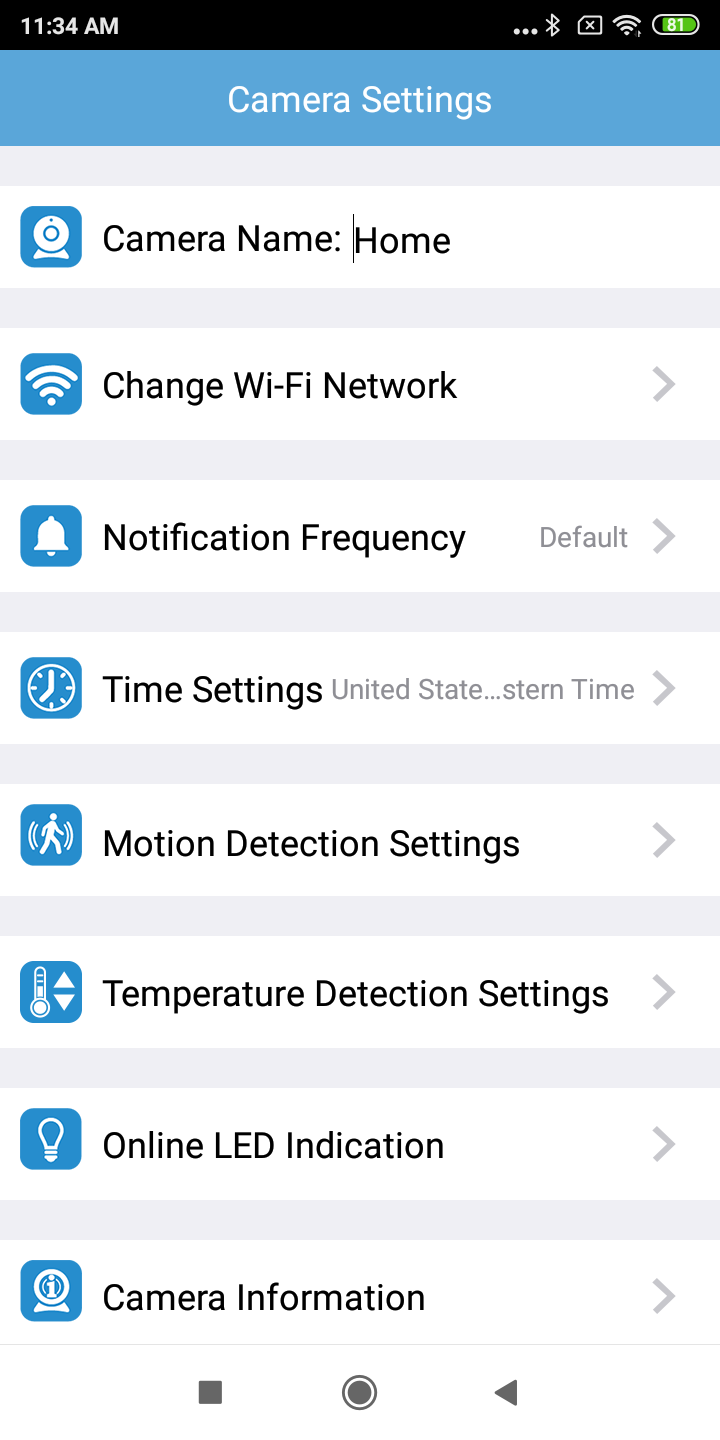
1. In the camera list, tap of a paired camera to enter its Camera Settings menu.

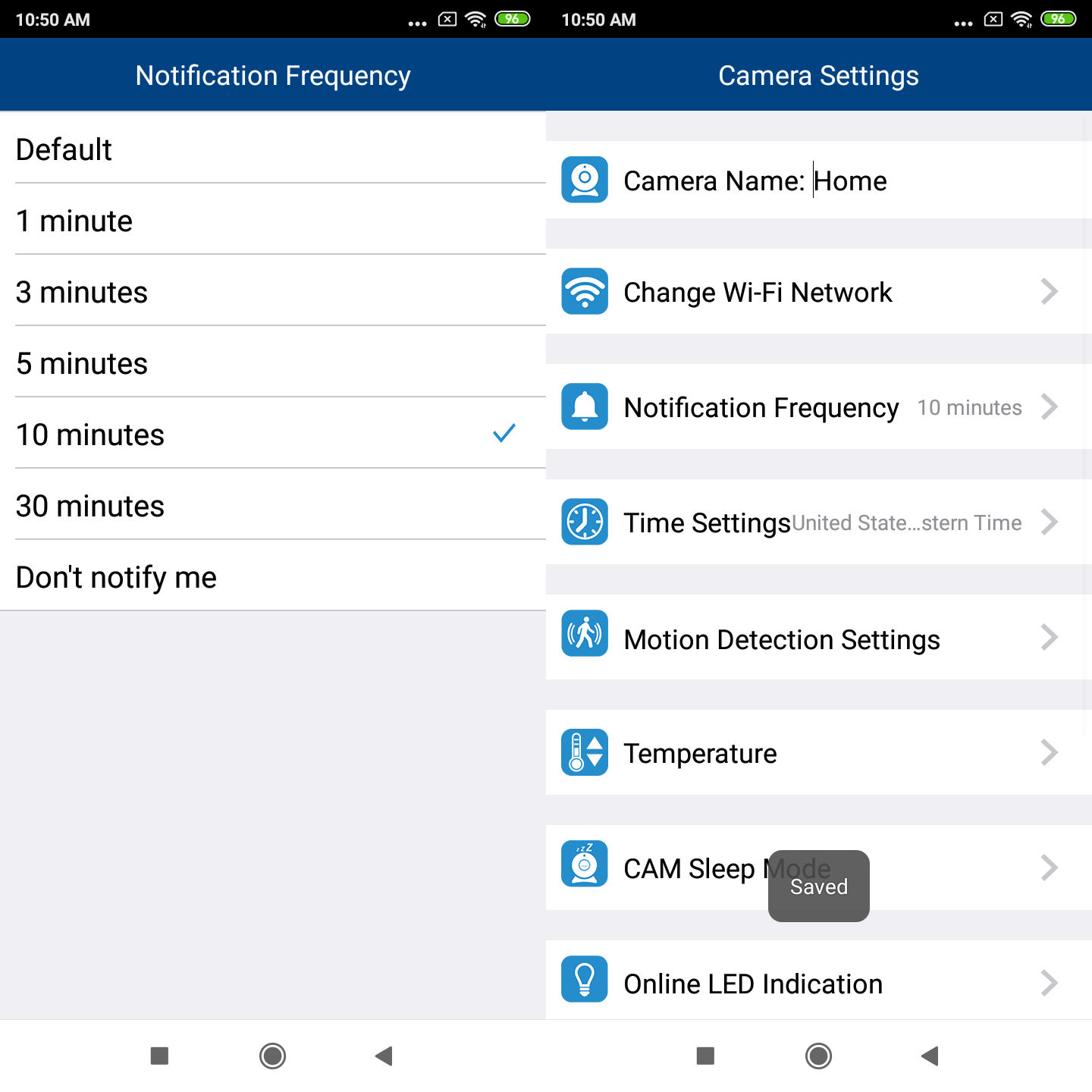
2. Tap Notification Frequency.
3. Tap your desired interval option.
 NOTES
NOTES
- Make sure you have set your mobile device to allow notifications sent from the app. See How to allow notifications sent from MyVTech Baby 1080p app (Android & iOS).
- If you select Don't notify me, there will be no notifications.
- You can turn on motion detection, but turn off notification. In this case, you can still view the motion detection events in the event log, but will not receive motion detection notification on your mobile device. See [Set Motion Detection] and View event log.